> ## Documentation Index
> Fetch the complete documentation index at: https://docs.recheckapp.com/llms.txt
> Use this file to discover all available pages before exploring further.
# How to test Recheck?
> Here's how you can test safely before launching it for your customers
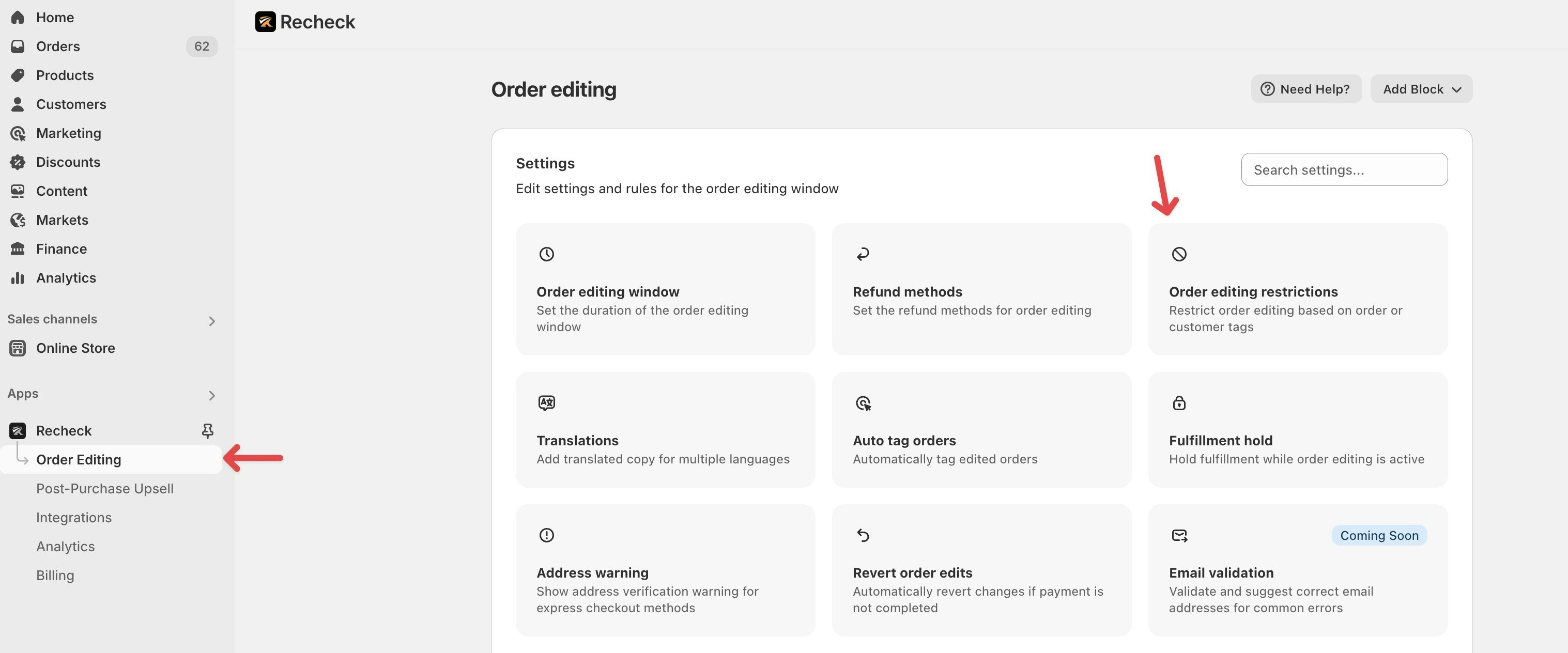
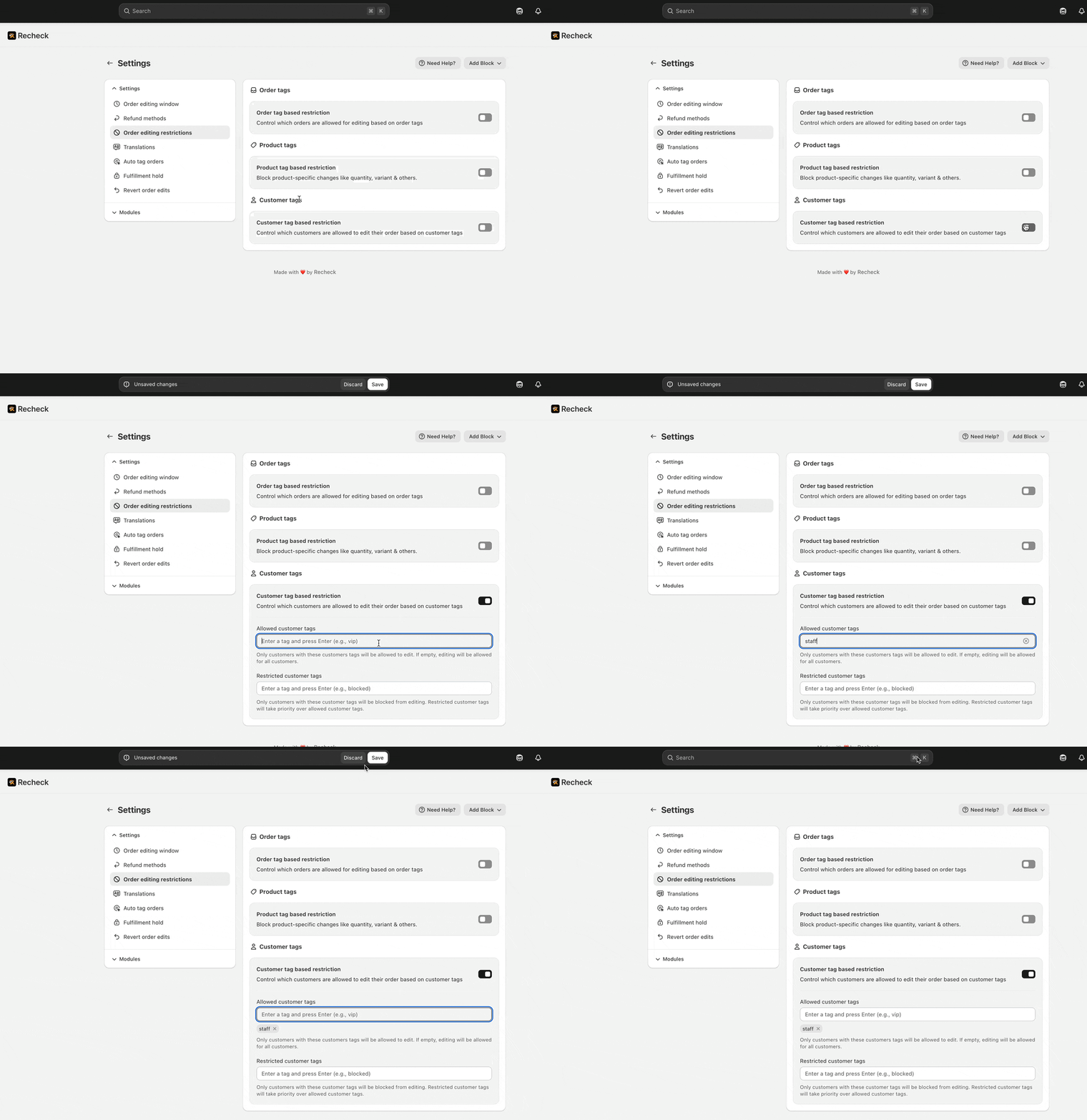
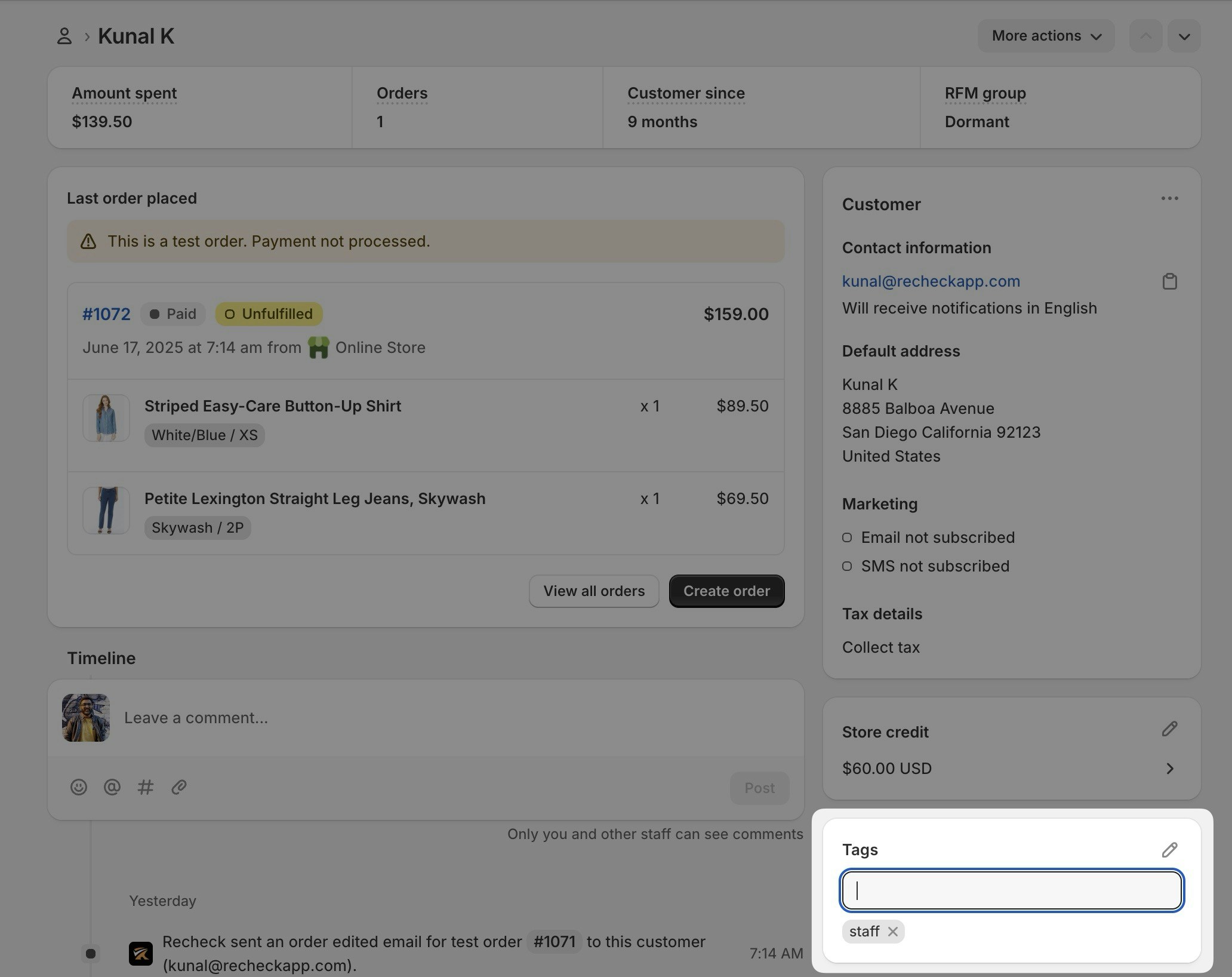
To safely test Recheck, you have to restrict order editing by using our customer tag restrictions setting. Here's how you can do it:
 This will only enable editing for the tag specified. Any customer not having this tag will not see the order editing functionality enabled by Recheck.
 # Need help?
Our guides contain information on everything from the basics of setting up Recheck to advanced customizations available with every feature. But we're always here to offer help personally if you need it.
Get personalized support from our founders
See how Recheck can help your brand
# Need help?
Our guides contain information on everything from the basics of setting up Recheck to advanced customizations available with every feature. But we're always here to offer help personally if you need it.
Get personalized support from our founders
See how Recheck can help your brand